Animating the Angry Birds with Framer Motion

Details
This article may contain outdated information as it was published 4 years ago.
import { motion } from "framer-motion";

const Hat = ({ apex, y }) => {
  return (
    <motion.div
      initial={false}
      animate={{
        y: [null, apex, y]
      }}
    />
  );
}
Transition fast, finish slow
Evermade’s go-to library for React animations is Framer Motion. It has slick animations out of the box, it is easy to modify, and it has a very good developer experience. We used it to bring Angry Birds characters to life on the revamped angrybirds.com.
Wanting more interactivity with the fans, we made the Birdsona Creator together with Rovio’s graphics team. It’s a React application where you can mix and match different bird body parts and add accessories to create your own unique bird.
The user can create a unique bird and download it to their device.
Simple UI animations are easy to do with just CSS. The performance will always be better than JavaScript-based animations as well.
However, CSS is not good at realistic movement. Objects have momentum in the real world, e.g. they don’t just move and come to a full stop – they bounce, even slightly.
That’s where Framer Motion and spring animation come in. Using a declarative syntax, you define what to animate and where, and Framer Motion will calculate realistic spring-like motion to it.
Above is an exaggerated spring animation.
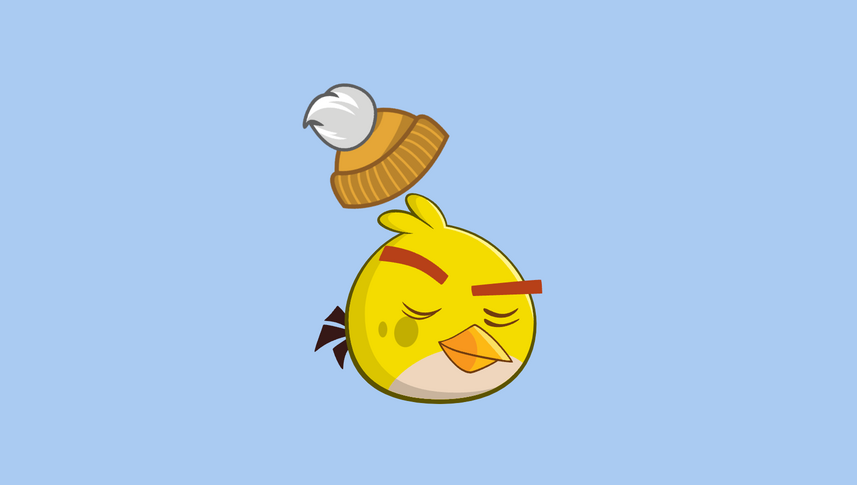
Since the bird bodies are shaped very differently, the hats also needed to be separately positioned, scaled, and rotated to suit each body.

The same beanie hat needed to be positioned differently for each bird.
If the user selects a hat and then changes the body shape, the hat needs to move from one body shape to the next. Making that transition feel natural was a challenge.
It looks awkward if the hat just moves from one position to another on a linear path. At that point, it stops being a hat and just becomes a static layer. I wanted the hat to feel like its own entity, abiding by the rules of gravity. I wanted it to “hop” from its current position on top of the new body.
Here’s a prototype of what I was after. You can see the source code from CodeSandbox.
Luckily Framer Motion has the Keyframes feature for a more complex orchestration.
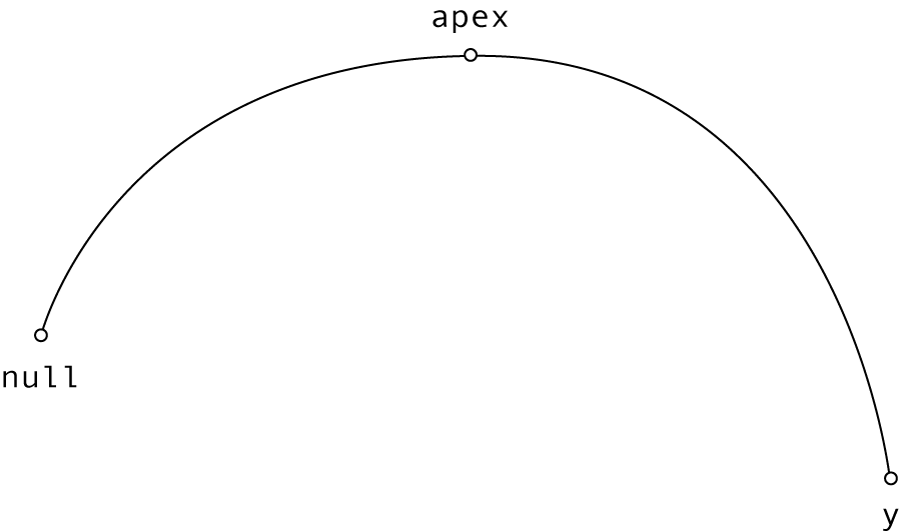
I started with a simple component that receives a y prop and moves to it when the value changes. But before it does that, it goes from its current position (null) to the apex value effectively jumping upwards. What the apex value actually is depends on your implementation.